
Designed a Knowledge Base Blueprint for Toastmasters Club Secretaries
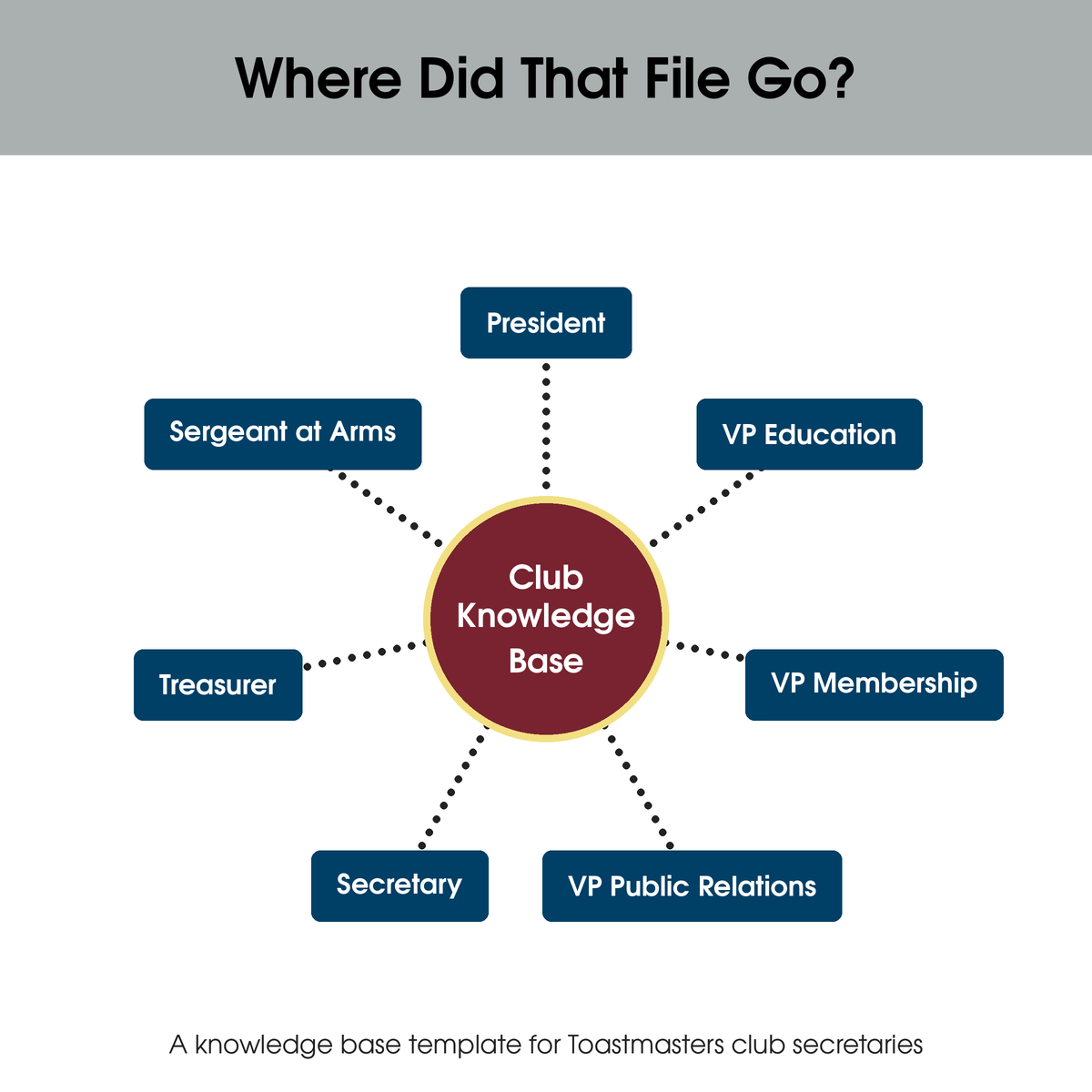
Every July, a Toastmasters club hands its records to a new set of officers. Whether that handoff goes smoothly depends on one thing: whether anyone can find anything.
Keeping those records is the job of the Club Secretary, one of a club’s seven officers. The Secretary maintains files, handles correspondence, and takes minutes at club and Executive Committee meetings. I first served in the role at Pride Toastmasters Club, where I organized our records in Google Drive.
The Secretary role is knowledge management in practice. A knowledge base is a centralized repository that people can search, add to, and update. For a club, that means every officer can find current documents and contribute to them without depending on one person’s files. Since I enjoy the work immensely, I’ve taken it on again at the New York AI Toastmasters Club.
The Challenge
Club Central, the officer portal area of toastmasters.org, lists 13 documents and tools across membership, club management, and reports. It has no dedicated place for meeting minutes, the club charter and constitution, correspondence, financial records, or officer handoff materials. Toastmasters International does not provide guidance on structuring a knowledge base. This is a problem for Toastmasters who do not work in knowledge management or information architecture.
Without a shared system, documents scatter across email and personal drives, and officers cannot tell which version is current. Secretaries need a tool outside Club Central and a structure to put in it.
What I Did
I designed a role-based information architecture (IA) for a club knowledge base, built it in Confluence for the New York AI Toastmasters Club, and documented it as a template guide for Club Secretaries. The guide has 17 slides. Download the guide (PDF)
Key design decisions:
Organized by officer role. Each of the seven officer roles has its own parent folder, so a new officer inherits one clearly labeled area at handoff.
Used a consistent three-level hierarchy. Role, then major category of work, then subcategories only where needed. The result is 28 categories across the seven roles, and the guide teaches the pattern in three steps using the President’s folder as the example.
Labeled folders by function and role (for example, “Finance/Treasurer”) so officers can find content whether they think in terms of the job or the task.
Aligned time-based folders to the July to June program year, such as monthly Executive Committee minutes and quarterly financials.
Included transition folders. The President’s structure has dedicated Succession and Handoff folders, so continuity is part of the design.
Chose platforms against club constraints. The guide recommends a free plan with at least seven seats, one per officer. It compares Confluence and Google Drive and shows a working setup of each. Although dozens of knowledge base platforms exist, I limited the guide to two so it would be as easy as possible to use.
Beyond the core method, the guide covers the Toastmasters regional structure, the documents Club Central already provides, and a role-by-role IA diagram for each officer, so Secretaries can adapt the template rather than start from scratch. Its folder terminology applies to both platforms. In Confluence, categories may be implemented as folders or pages.
The Impact
Club Secretaries now have a ready-made structure of seven role folders and 28 categories to adapt instead of designing one from scratch.
I use the Confluence version at the New York AI Toastmasters Club, where it also holds the meeting minutes published by my Gumloop workflow.
This platform has been particularly useful in developing the Club Success Plan. I created a Mural within Confluence that club officers added to prior to meeting as a group to discuss. Because Club Central’s area for the Club Success Plan has limited character counts, it is not possible to brainstorm on toastmasters.org. Having this system in place keeps us organized, and we always know where to locate documents.
Cover slide of the Knowledge Base & Information Architecture guide for Toastmasters Clubs.
CompetEncies Applied
Knowledge Management
Information Architecture
Taxonomy Design
Process Documentation
